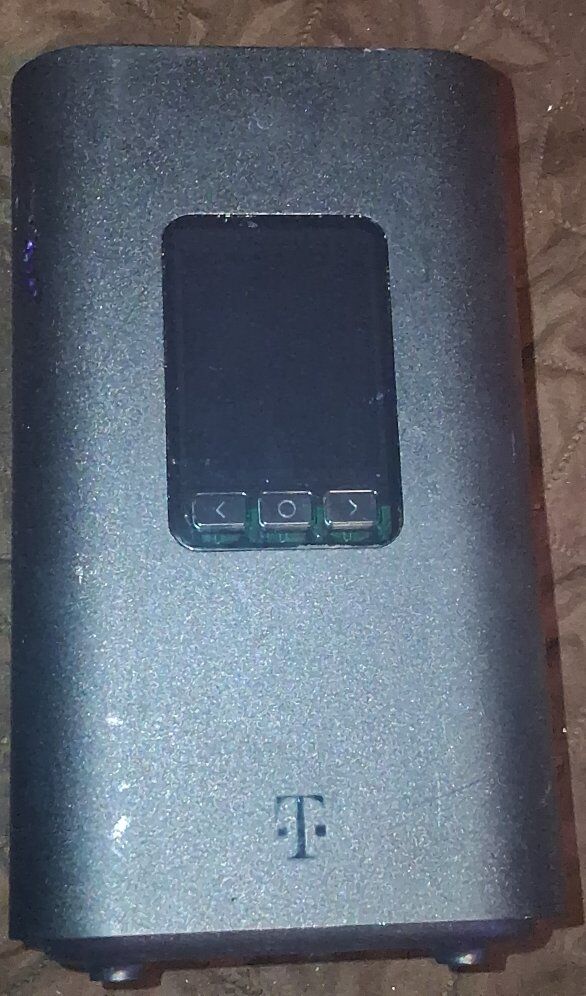
T-Mobile KDV21 5G Internet Gateway
22 Days
36
1
$10.00
Description
Condition
Payment Types Accepted
 CashApp
Log in
Arcadyan KVD21 Gateway Find technical details, tutorial links, and other information about your Arcadyan KVD21 gateway.
About the Gateway LCD Screen Tech Specs Firmware Updates Web Gateway User Interface (GUI) About the Gateway For more gateway steps, such as instructions on how to install your SIM or reset your gateway, check out our Tutorials.
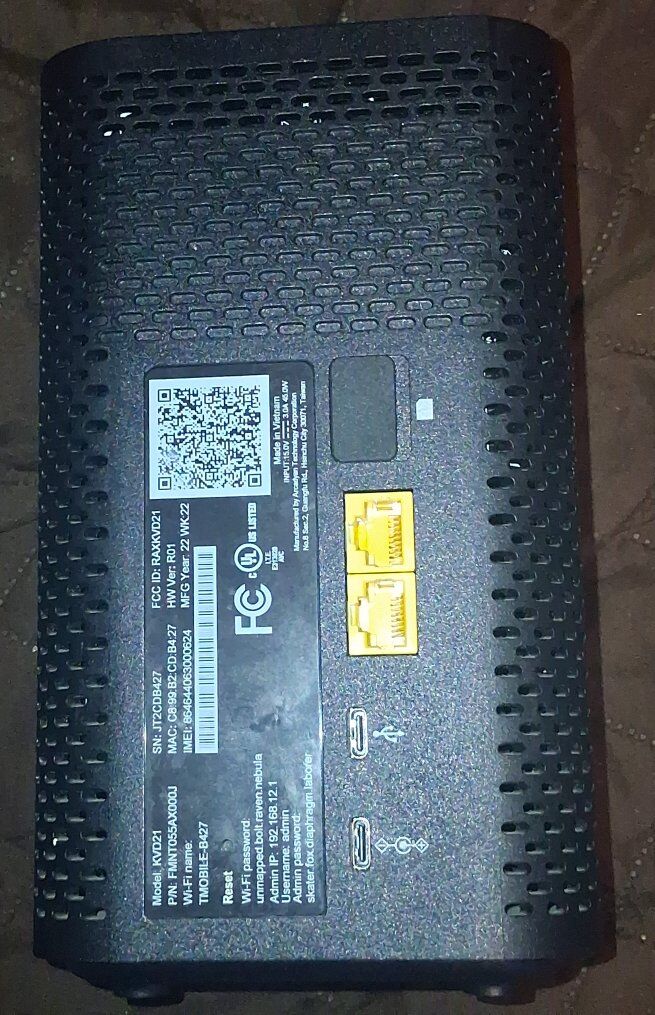
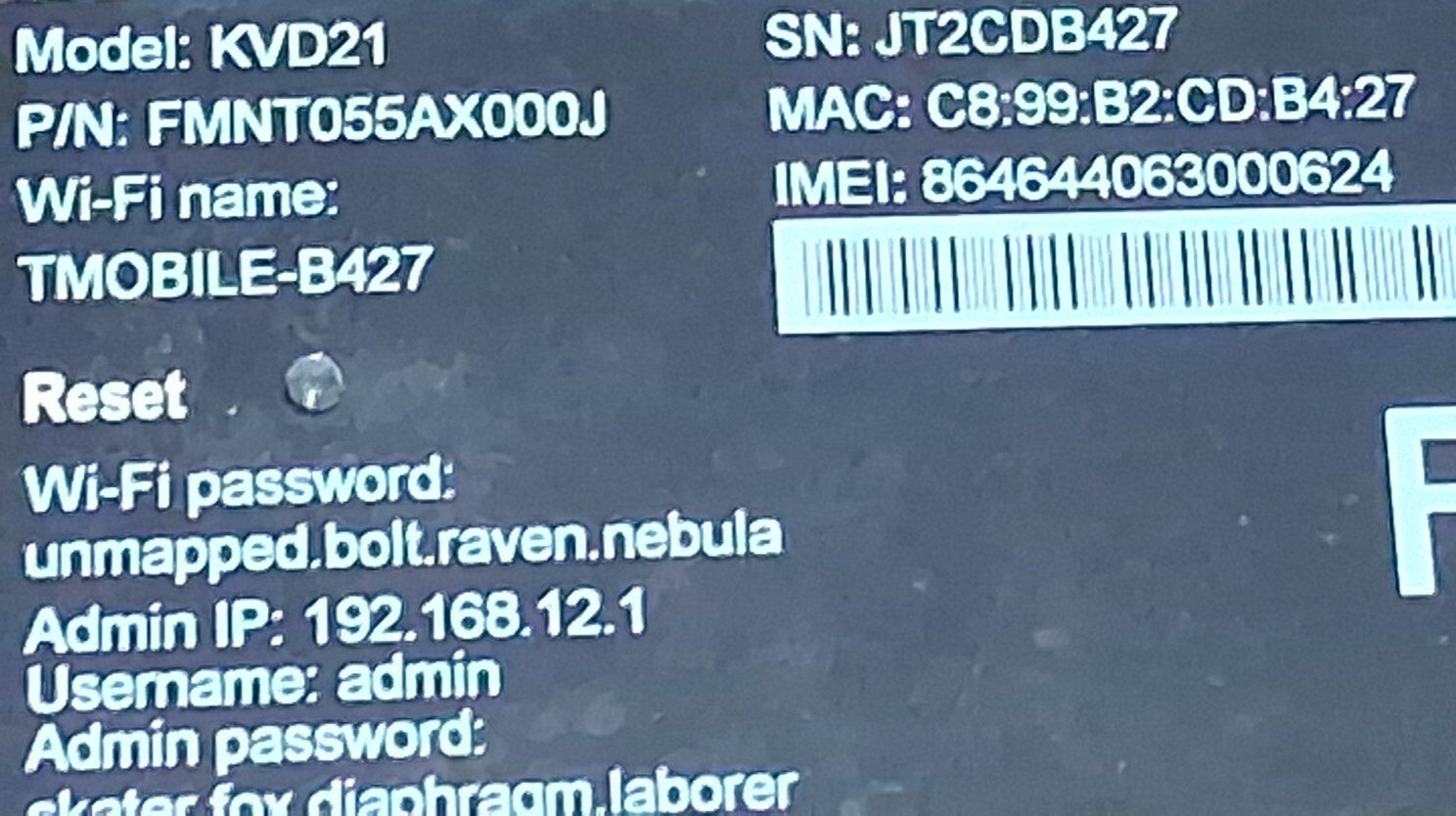
Arcadyan KVD21 Gateway Tutorials Reading the gateway label The label on the back of your gateway includes information about the device and network including the default Wi-Fi network name and Wi-Fi password.
Learn more about setting up your gateway , opens in a new window Arcadyan KVD21 Gateway Label with an outline around the Wi-Fi name and password in the top-left corner Front
Front view of the Sagemcom Fast 5688W gateway Back
An image of the back of the Sagemcom gateway with arrows pointing to it's parts. In the middle of the gateway is the Label. Below that is the Data Port. Below the Data Port are two Ethernet Ports. Below the Ethernet Ports is the Power Button. Below the Power Button is the Power Port. LCD Screen Press the left or right arrow ( < or > ) on the LCD panel with your finger to move between screens. The illuminated dot on the bottom of the screen indicates where you are in the screen sequence.
Connection
Devices
Internet Line Number
Language Settings
Messages
Notifications Tech Specs Battery None AC Adapter 100V - 240V 12V / 1.2A Dimensions (W x H) 4.73 x 7.52 in (120mm x 191mm) Operating temperature range 0° – 40° C (0° F – 104° F) Connections Dual Band Wi-Fi 6 (802.11ax) with 4x4MIMO WPA2/WPA3 Wi-Fi Security Ethernet plugs 2xRJ-45 USB Type C x 1 for regular power source USB Type C x 1 for data (not functional) Maximum recommended devices: 64 Network 5G bands: N41, N66, N71 4G LTE bands: B2, B4, B5, B12, B41, B46, B66, B71
You Might Also Like


T-Mobile KDV21 5G Internet Gateway
22 Days
36
1
$10.00
Description
Condition
Payment Types Accepted
CashAppLog in
Arcadyan KVD21 Gateway Find technical details, tutorial links, and other information about your Arcadyan KVD21 gateway.
About the Gateway LCD Screen Tech Specs Firmware Updates Web Gateway User Interface (GUI) About the Gateway For more gateway steps, such as instructions on how to install your SIM or reset your gateway, check out our Tutorials.
Arcadyan KVD21 Gateway Tutorials Reading the gateway label The label on the back of your gateway includes information about the device and network including the default Wi-Fi network name and Wi-Fi password.
Learn more about setting up your gateway , opens in a new window Arcadyan KVD21 Gateway Label with an outline around the Wi-Fi name and password in the top-left corner Front
Front view of the Sagemcom Fast 5688W gateway Back
An image of the back of the Sagemcom gateway with arrows pointing to it's parts. In the middle of the gateway is the Label. Below that is the Data Port. Below the Data Port are two Ethernet Ports. Below the Ethernet Ports is the Power Button. Below the Power Button is the Power Port. LCD Screen Press the left or right arrow ( < or > ) on the LCD panel with your finger to move between screens. The illuminated dot on the bottom of the screen indicates where you are in the screen sequence.
Connection
Devices
Internet Line Number
Language Settings
Messages
Notifications Tech Specs Battery None AC Adapter 100V - 240V 12V / 1.2A Dimensions (W x H) 4.73 x 7.52 in (120mm x 191mm) Operating temperature range 0° – 40° C (0° F – 104° F) Connections Dual Band Wi-Fi 6 (802.11ax) with 4x4MIMO WPA2/WPA3 Wi-Fi Security Ethernet plugs 2xRJ-45 USB Type C x 1 for regular power source USB Type C x 1 for data (not functional) Maximum recommended devices: 64 Network 5G bands: N41, N66, N71 4G LTE bands: B2, B4, B5, B12, B41, B46, B66, B71
You Might Also Like
