
Pets
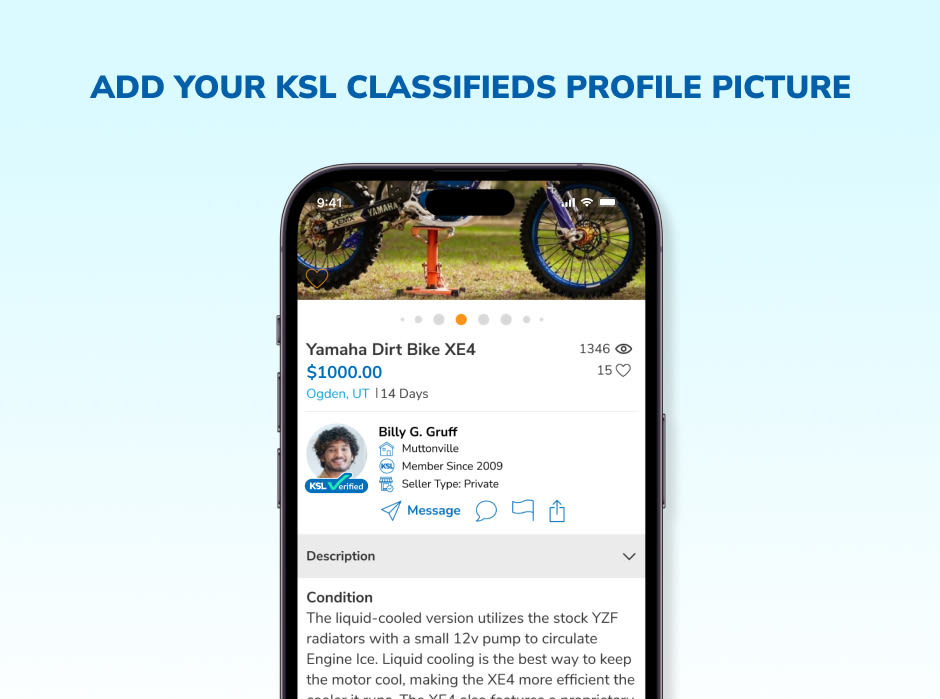
Having a KSL account profile picture is more than just a nice touch — it can influence your success on the platform. A profile with a photo instantly appears more trustworthy, helping to build credibility and making other users feel more comfortable doing business with you. It also adds a personal element, making your profile more relatable and engaging.
Profiles with pictures often attract more interaction as you connect with buyers and sellers on the KSL Classifieds platform. Your profile picture is visible on the pages of items you’re selling and in KSL’s messaging tool, where you can communicate securely with other users. Let’s quickly go through the easy process of adding or updating your KSL profile picture.
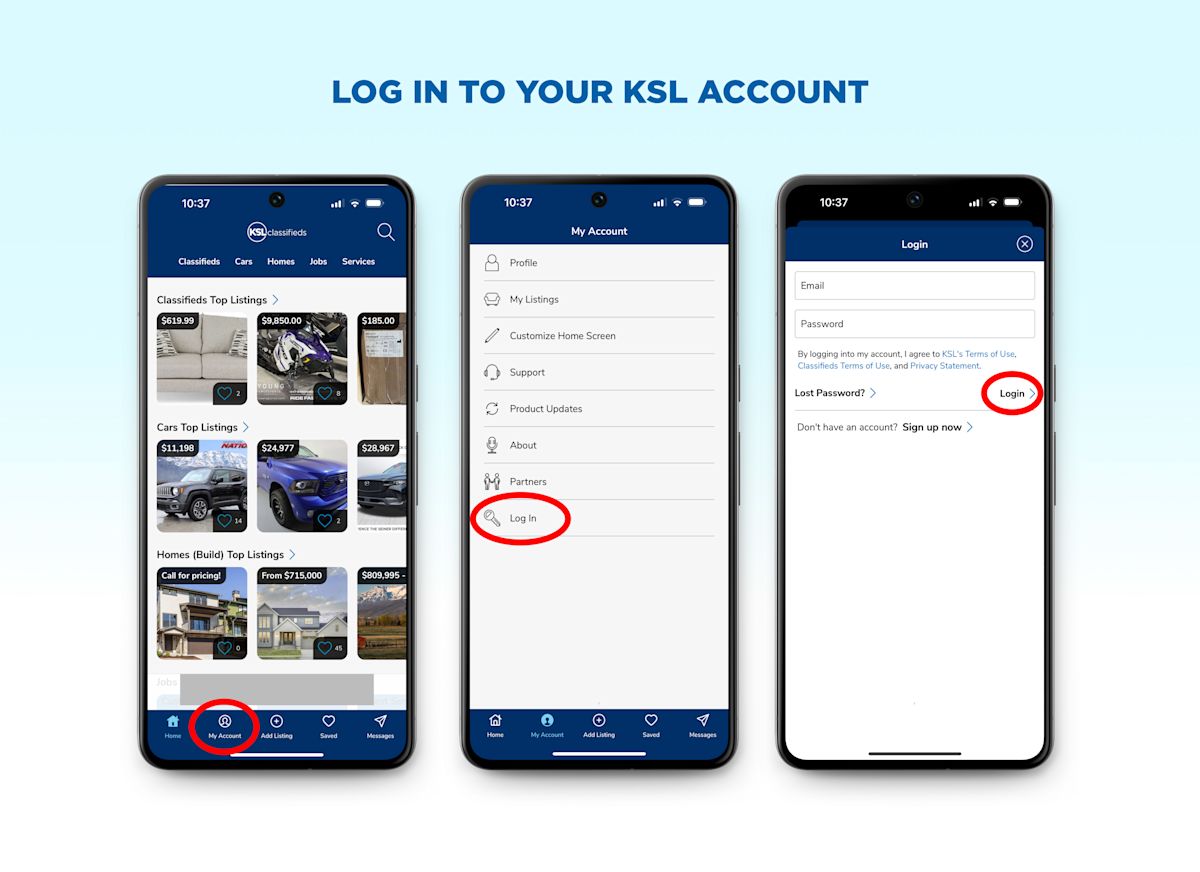
To begin, you'll need to log into your KSL Classifieds account. If you're using the mobile app, simply open it, tap the My Account button, and select Log In. From there, enter your account credentials.
On a desktop, go to the KSL Classifieds website and click the Account icon, located in the upper right corner, then click the Sign In button. Then you can enter your email and password. If you don't have an account yet, set one up by clicking Sign Up on the login page. It’s quick and easy to create an account by following the registration prompts.
Log in to your KSL account now
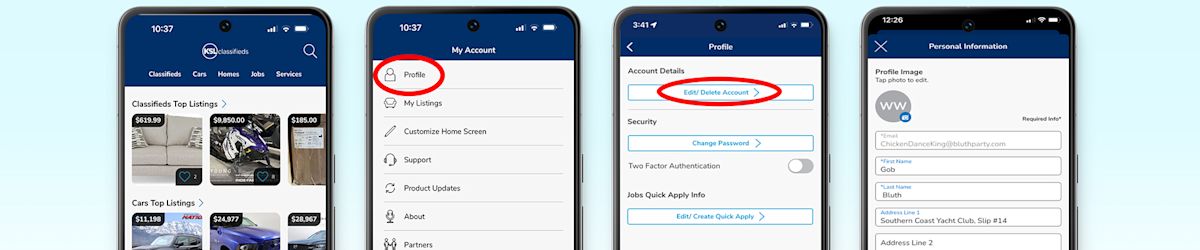
Once you're logged in, navigate to the section where you can upload or change your profile picture. On the mobile app, tap My Account again, and then tap Profile to access your settings. Once you’re on the profile screen, tap the Edit/Delete Account button to access your account details. If you're using the desktop version, click on the My Account icon in the upper right corner again; from the drop-down menu, select Profile.
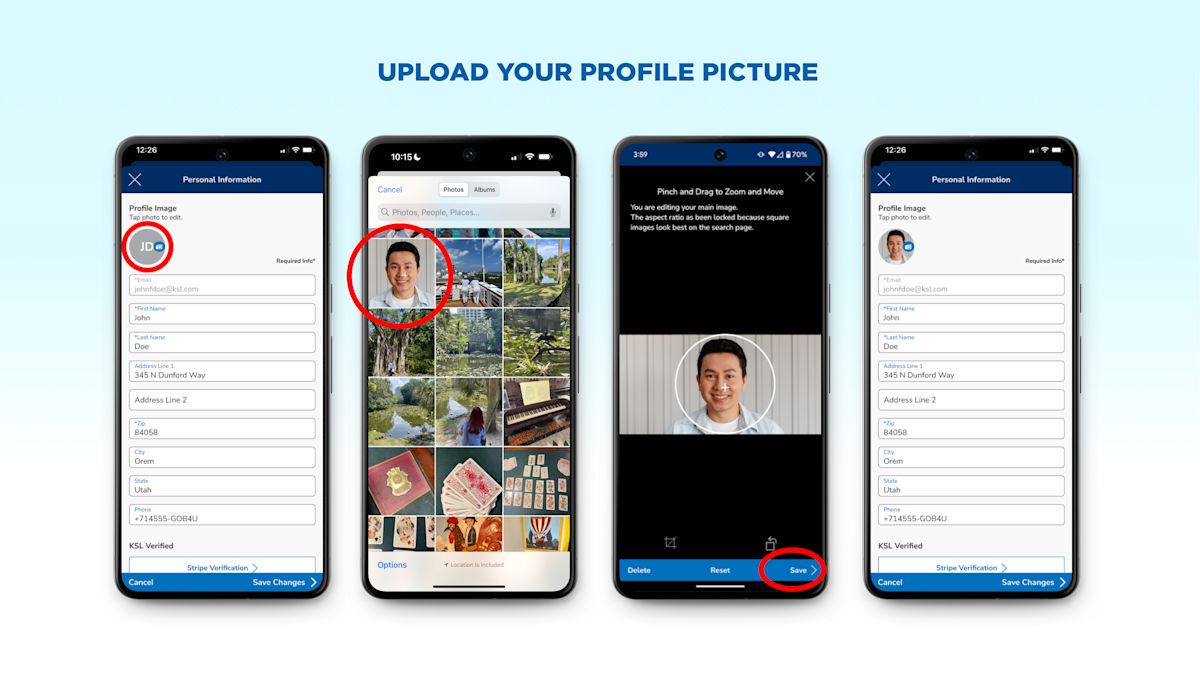
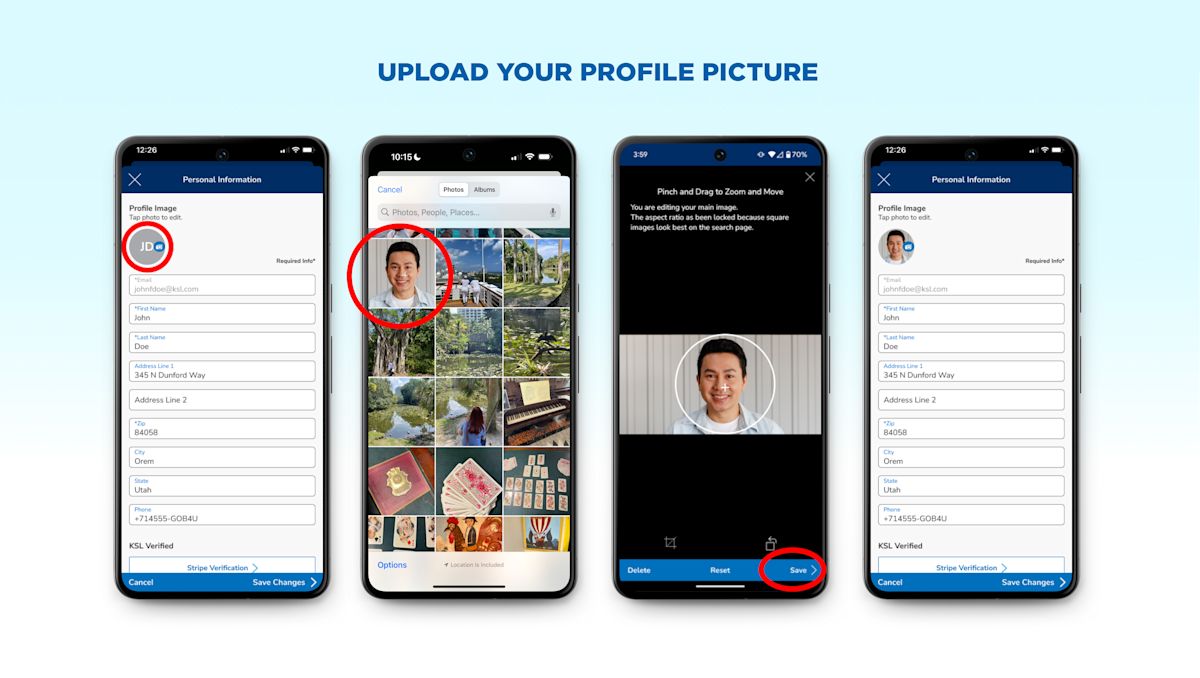
Now it’s time to upload your profile photo. On the mobile app and on the website, tap or click the camera icon overlaying the photo placeholder (or your current photo) to upload a new image. Make sure your image is at least 300 pixels wide for the best display quality, and use JPG or PNG formats, as they work best on KSL Classifieds.
After selecting Choose File or Upload Photo, pick the image from your device's gallery or file storage. Once you’ve chosen the image, click Open on desktop or tap Upload on mobile to upload the picture.
After uploading your photo, it will open in our photo editor. Here you can take a moment to review how it looks and make adjustments to the crop, size and rotation. If the image is cropped weird or blurry, you might want to try a different picture or adjust the size. Once you're satisfied with how your profile picture looks, tap Save to finalize the update. Your new profile picture will then appear on your KSL Classifieds profile, helping to create a more trustworthy and engaging presence.
Your profile photo represents you to other users, so it's important to choose the right one. Make sure to use a clear, high-quality image that isn't pixelated or blurry. Good lighting is essential, so ensure your face is well lit — natural light is ideal, but a well-lit indoor space can work just as well. Select a picture where you appear approachable and professional, especially if you plan to use KSL Classifieds often for buying and selling.
Don’t miss out on the benefits of having a complete profile. Update your KSL Classifieds profile today with a photo to enhance your credibility and attract more engagement. It’s quick, easy and can make all the difference when connecting with other users.
Now that you know how to complete your profile with a picture, you're ready to take advantage of all that KSL Classifieds offers! Ready to put your best face forward?
Visit your KSL Classifieds profile page and upload your picture today!