
Local Insights

Local businesses need as many ways as possible to expand their reach. A KSL Service Listing brings your services directly to customers through KSL Classifieds. Whether you’ve got a blossoming landscaping business or 30 years under your handyman tool belt, this is a streamlined way to showcase what your business has to offer.
KSL Service listings integrated into our KSL Classifieds platform. They’re a little bit different from a traditional Classifieds listing though. Instead of listing items such as couches or refrigerators, a Service Listing will focus specifically on the service you offer — painting, lawn care, cleaning, etc.

Tell users a little about yourself. Similar to a traditional KSL Classifieds listing, you’ll be able to upload business photos, a thorough description of your business and contact information. Users will be able to distinguish between a traditional listing and a Service Listing by a distinct Service ribbon across the top of your listing.
Service Listings are available as self-service options for a one-time fee of $75. Typical listings are active for 30 days. After a listing period ends, your business can renew the Service Listing manually. Otherwise, you may want to explore package deals that can increase visibility on your listing. If so, just contact us! One of our sales representatives will be happy to help.
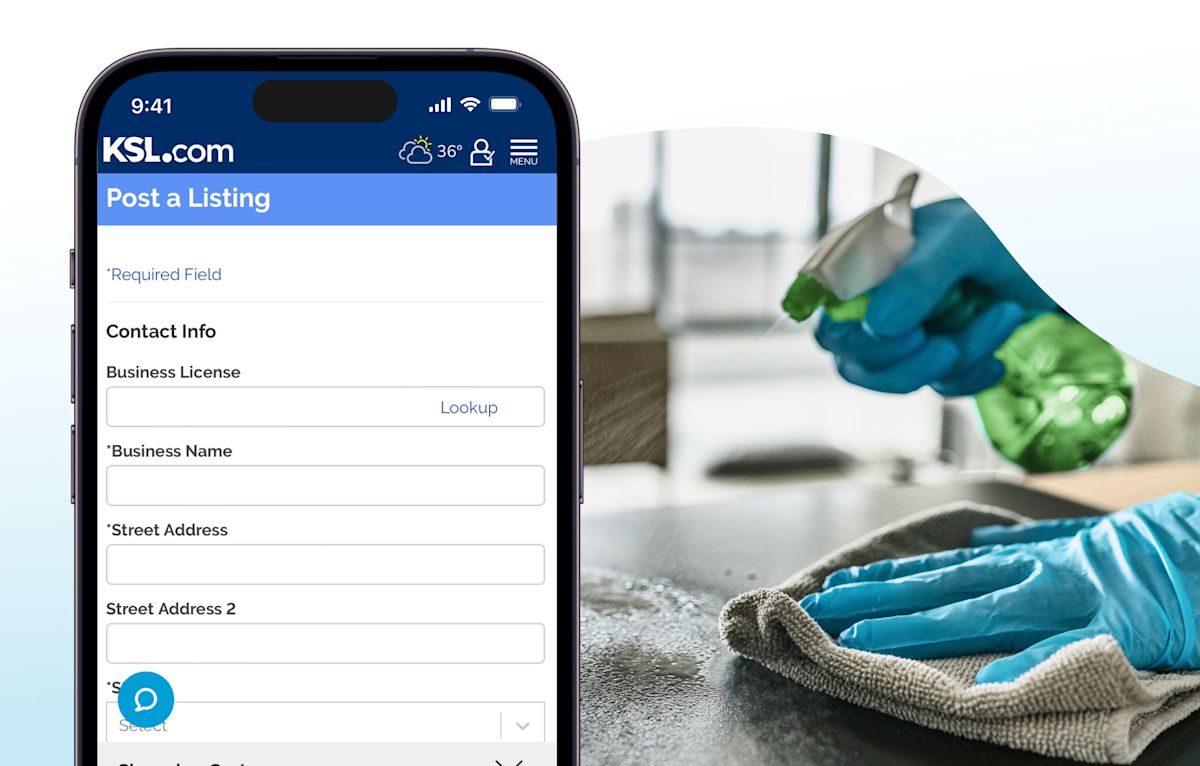
Create a Service Listing step by step
The process is simple and similar to creating a traditional listing. There are just a few key differences.
Be sure you have logged in to your account to access the Add Listing option. If you don’t have an account yet, create one here.
At the top of the Add Listing page, you’ll see several categories. Click or tap on the Services tab on the far right to begin creating your Service Listing.
Business License: This is optional, however we highly recommend you include this to build credibility for your business. Users will be able to click on your business license number to verify your business is registered in Utah.
Business Name: List the name of your business as it is legally registered.
Address: List address, zip code, city and state.
Email and Phone: Provide your business email address and phone number. Make sure the email is professional.
Website: You can link your website if your business is integrated with Nest through one of our account executives.
Title: Create a clear and descriptive title (e.g., Fast Plumbing and Repairs).
Category and Subcategory: Choose the main category Service, and then select a subcategory that fits your business — Auto Services, Building Design, Carpenters, etc.
Service Area: Let customers know if you will go to them or they will come to you.
Hours of Operation and Description: Provide details about your services such as hours of operation, location of services and what your business is about.
Photos: Upload high quality photos that showcase your service. Finished a recent project? Show it off. Working on something exciting? Also show it off! Clients love to see the process.
Contact a sales representative →
If you haven’t already, we recommend that you Verify Your Profile and upload a profile photo as soon as possible. This will help you build trust with potential customers.

Self-service listings are a great starting point, especially for smaller businesses. But if your business is ready to get a bit more exposure, explore package deals with a KSL sales representative. Our packages offer several features to better showcase what you offer.
Spotlights will push your Service Listing to the top of the page; Featured Listings showcase your services prominently in the center of the page; and prime placed advertisements will show your listings in three places on the right side of the page.
If you are a business dealer going through an account executive to get your Service Listing set up, the process will differ slightly. Business dealers will be integrated with Nest and are restricted to the specific categories selected during your Service Listing setup. If you want to modify your categories, you will need to contact a sales representative.
Browse other Service Listings →
Ready to connect with customers using a more targeted strategy? Start with a self-service Service Listings listing or contact a KSL Classifieds sales representative for more in-depth options and features.
Contact a sales representative →